


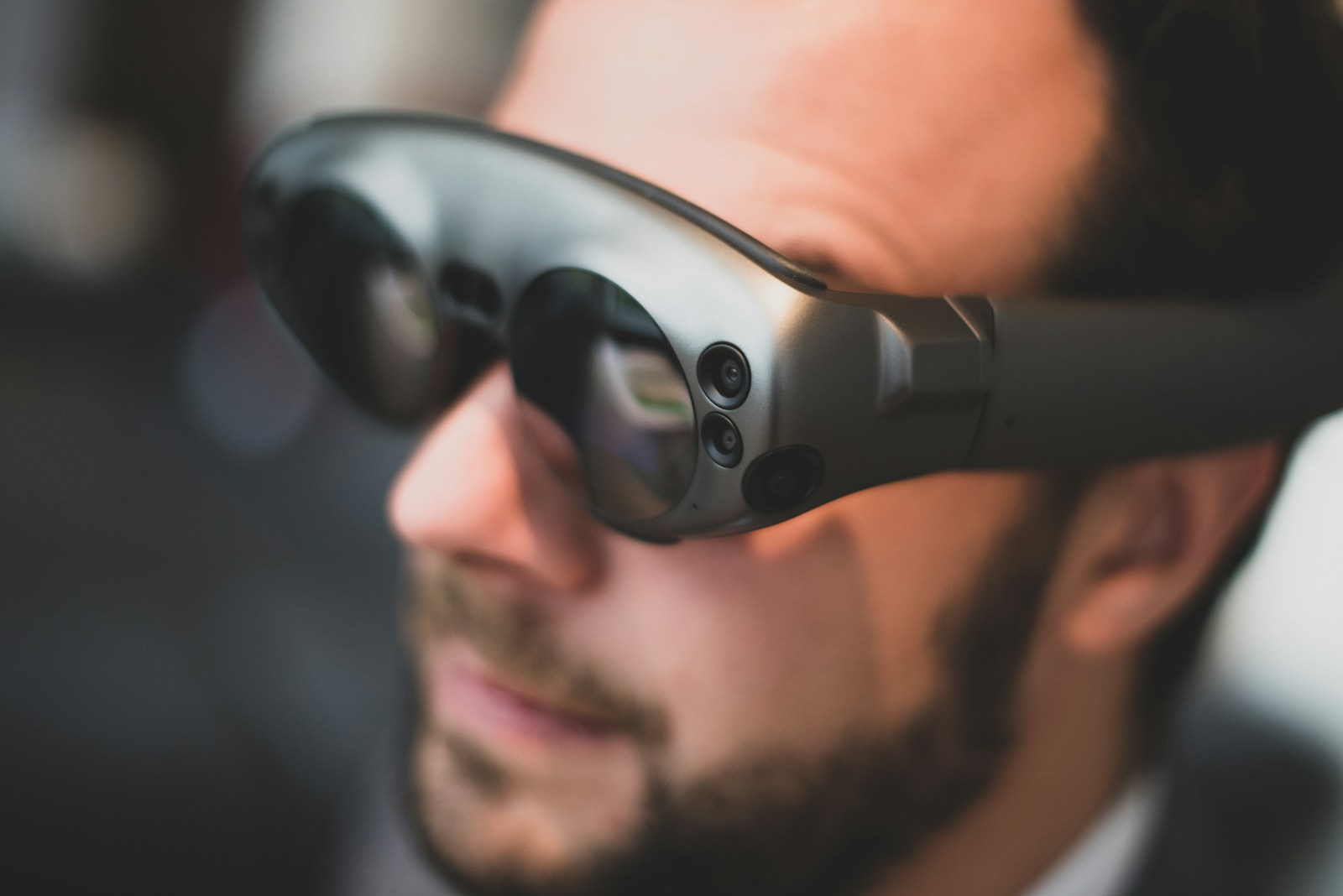
I’ve seen countless AR headsets come and go, each promising to revolutionize how we interact with digital content. Most have been bulky, tethered contraptions that feel more like science experiments than consumer products. That’s why my experience with the Inmo Air 3 glasses caught me by surprise.
These self-contained AR glasses represent something different in the wearable display market. Unlike the Vision Pro or other immersive headsets that demand your complete attention, the Inmo Air 3 offers a more practical approach to augmented reality that might actually fit into everyday life.
A Truly Portable AR Experience
What makes these glasses stand out is their all-in-one design. They integrate 1080p full-color waveguide displays—apparently a world first at this scale—without requiring connection to external devices. This means you can use them anywhere: on flights, while camping, or even at the beach.
The hardware specs are impressive for something this compact:
- Dual 1080p Sony micro OLED displays capable of 600 nits brightness
- 36-degree ultra-wide field of view
- Up to 150-inch virtual screen experience
- 16-megapixel ultrawide camera
- Snapdragon XR processor with 8GB RAM and 128GB storage
- 666mAh battery in a 119-gram package
The brightness is particularly important since these are designed for outdoor use. At 600 nits, the displays remain visible even in bright conditions—a crucial feature for truly portable AR.
Privacy Without Isolation
One of the most compelling aspects is how these glasses handle privacy. The waveguide display technology keeps your content visible only to you, while still allowing you to maintain awareness of your surroundings. It’s similar to transparency mode on headphones—you stay connected to the world while enjoying your personal content.
This balance between privacy and awareness is what makes these glasses practical for everyday use. You can watch a movie on a plane without worrying about prying eyes, yet still interact with a flight attendant when needed.
The core target seems more on the productivity side and the ability to have a really large display wirelessly on your face.
Productivity Beyond Entertainment
While watching content is an obvious use case, I was more impressed by the productivity potential. The glasses run Android natively, allowing access to Chrome, file browsers, and the Play Store without additional hardware. More importantly, you can wirelessly screen-share from laptops and phones.
When paired with a keyboard and mouse, these glasses effectively become a portable workstation. I tested this by connecting to a MacBook, and suddenly had access to all my creative apps with a beautiful overlay that didn’t completely shut me off from my environment.
For those who wear prescription glasses, the Inmo Air 3 can be fitted with prescription lenses—a thoughtful inclusion that makes them accessible to more users.
Control Options That Make Sense
The control scheme is surprisingly well thought out. The glasses come with:
- A touchpad remote that can be worn like a ring
- Physical buttons on the frames for volume and power
- The ability to use your laptop’s trackpad when connected
The ring-style remote is particularly clever—you won’t drop it if you doze off while watching content on a flight.
Not Without Compromises
These aren’t perfect. The frames are noticeably larger than regular sunglasses, though much smaller than VR headsets. People will definitely notice you’re wearing tech on your face. The field of view, while decent at 36 degrees, still doesn’t match the immersiveness of larger headsets.
Battery life will likely be a limitation for all-day use, and the Android-based system won’t replace a full computer for complex tasks.
But these compromises feel reasonable given what these glasses accomplish. They’re not trying to be a Vision Pro—they’re aiming to be something you might actually wear in public without feeling self-conscious.
Finding the Right AR Balance
What makes the Inmo Air 3 interesting is how it positions itself between smartphones and full headsets. It offers a larger, more private display than your phone without the isolation of VR. It enhances productivity without demanding a desk setup.
This middle ground might be where AR finally finds mainstream appeal. Not in flashy demos of virtual objects floating in your living room, but in practical tools that extend our digital capabilities in everyday situations.
The future of AR might not be about replacing reality with digital wonders, but about making our digital lives more comfortable and accessible wherever we go. If that’s the case, glasses like the Inmo Air 3 are pointing in the right direction.
Frequently Asked Questions
Q: How do the Inmo Air 3 glasses compare to other AR headsets like the Vision Pro?
The Inmo Air 3 glasses are much lighter and less obtrusive than devices like the Vision Pro. They weigh just 119 grams and look more like sunglasses than a headset. While they don’t offer the same level of immersion, they provide a more practical everyday experience with their wireless design and ability to maintain awareness of your surroundings.
Q: Can I use these glasses if I need prescription lenses?
Yes, the Inmo Air 3 can be fitted with prescription lenses directly in the frames. This makes them accessible to users who normally wear glasses without requiring you to wear contacts or struggle with fitting the AR glasses over existing eyewear.
Q: What makes the display technology in these glasses special?
According to the manufacturer, these are the world’s first glasses to integrate 1080p full-color waveguide displays at this scale. The technology keeps content private (others can’t see what you’re viewing) while providing 600 nits of brightness, making them usable outdoors. The displays create a virtual screen experience of up to 150 inches.
Q: How do you control the Inmo Air 3 glasses?
The glasses offer multiple control options. They come with a touchpad remote that can be worn like a ring to prevent dropping it. There are also physical buttons on the frames for functions like volume and power. When connected to a laptop, you can use your computer’s trackpad or mouse for input.
Q: What can I do with these glasses besides watching videos?
The Inmo Air 3 runs Android natively with access to Chrome, file browsers, and the Play Store. You can wirelessly screen-share from laptops and phones, turning the glasses into a productivity tool. They also feature a 16-megapixel ultrawide camera for taking photos and videos. When paired with a keyboard and mouse, they can function as a portable workstation for many tasks.

























