
Code reviews don’t have to waste your time. Slack can streamline code reviews and reduce wasted time if you know how to use it effectively.
With the right strategies, teams struggling with delays have cut review times by 20%, reclaiming hours of lost productivity every week. From Slack bots that automate notifications to shortcuts that keep your team aligned, these methods make reviews faster and smoother.
I’ve seen teams eliminate slow approvals and constant back-and-forth, speed up pull request approvals, and reclaim time for what really matters: writing great code.
If you’re tired of slowdowns and inefficiencies, this guide has everything you need to turn Slack into your team’s time-saving ally for better code review management.
Automate Your Way to Speed
Automation saves hours in your workflow by handling repetitive tasks. Integrating Slack with GitHub allows you to automate notifications for every stage of the review process.
Instant updates about code reviews in GitHub, whether created, commented on, or completed, allow your team to act immediately without switching platforms.
Automation ensures every pull request is tracked and nothing is overlooked. Review reviews flow smoothly by notifying the right team members at the right time, and your process stays on track. Automation is the key if you’ve been wondering how to review code on GitHub more effectively.
Slack Channels: Your Command Center
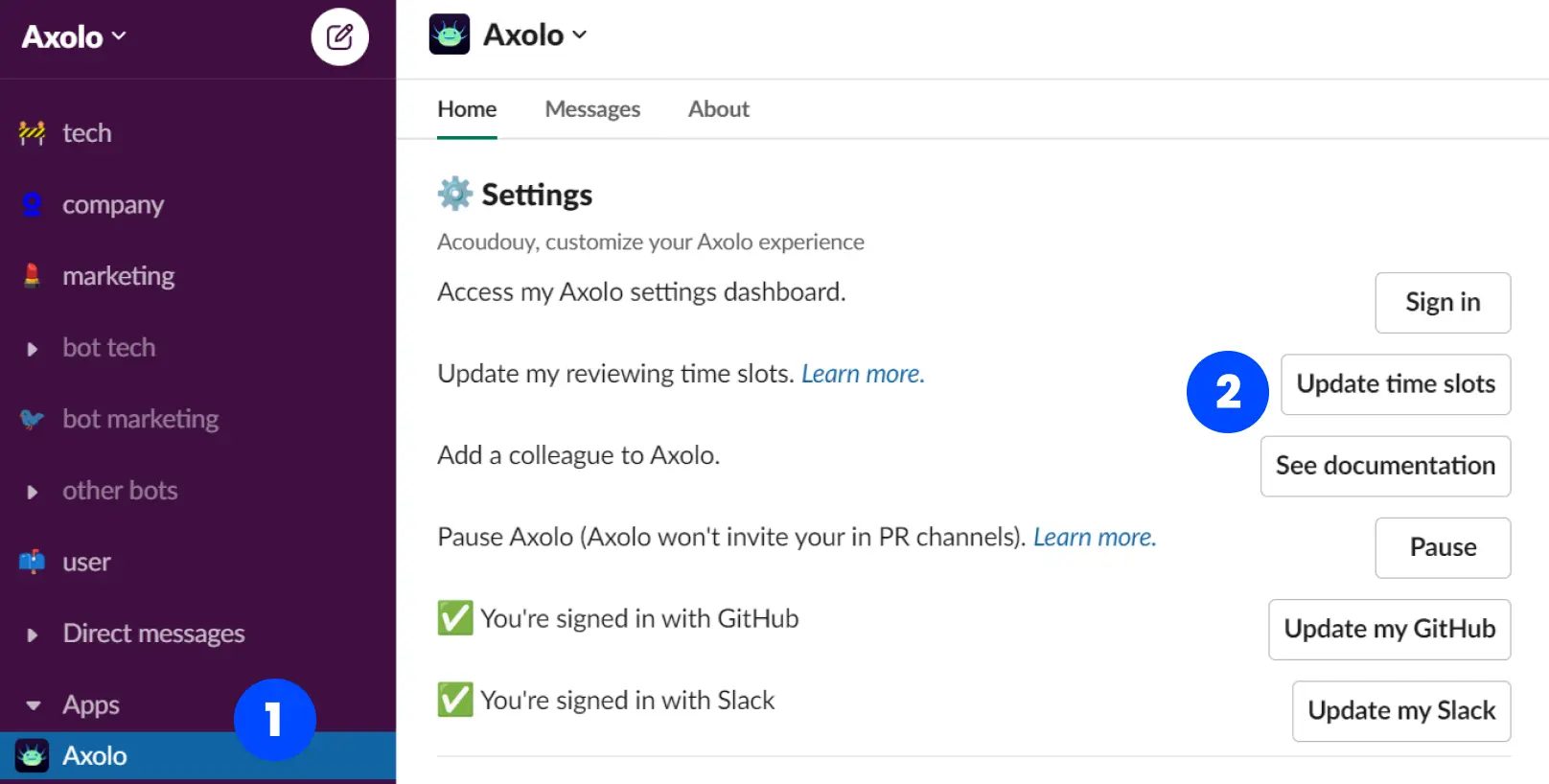
Dedicated Slack channels create a single source of truth for your code reviews. A “#code-reviews” channel can centralize discussions, keeping all feedback and updates in one organized space.
Threads within channels allow reviewers and developers to have focused conversations about specific pull requests. This structure prevents confusion and ensures important details aren’t lost in unrelated messages.
When Slack channels are organized effectively, your team can track reviews, share feedback, and solve issues without leaving the platform. It’s a powerful way to simplify code review management.
Get a Helping Hand with Slack Bots
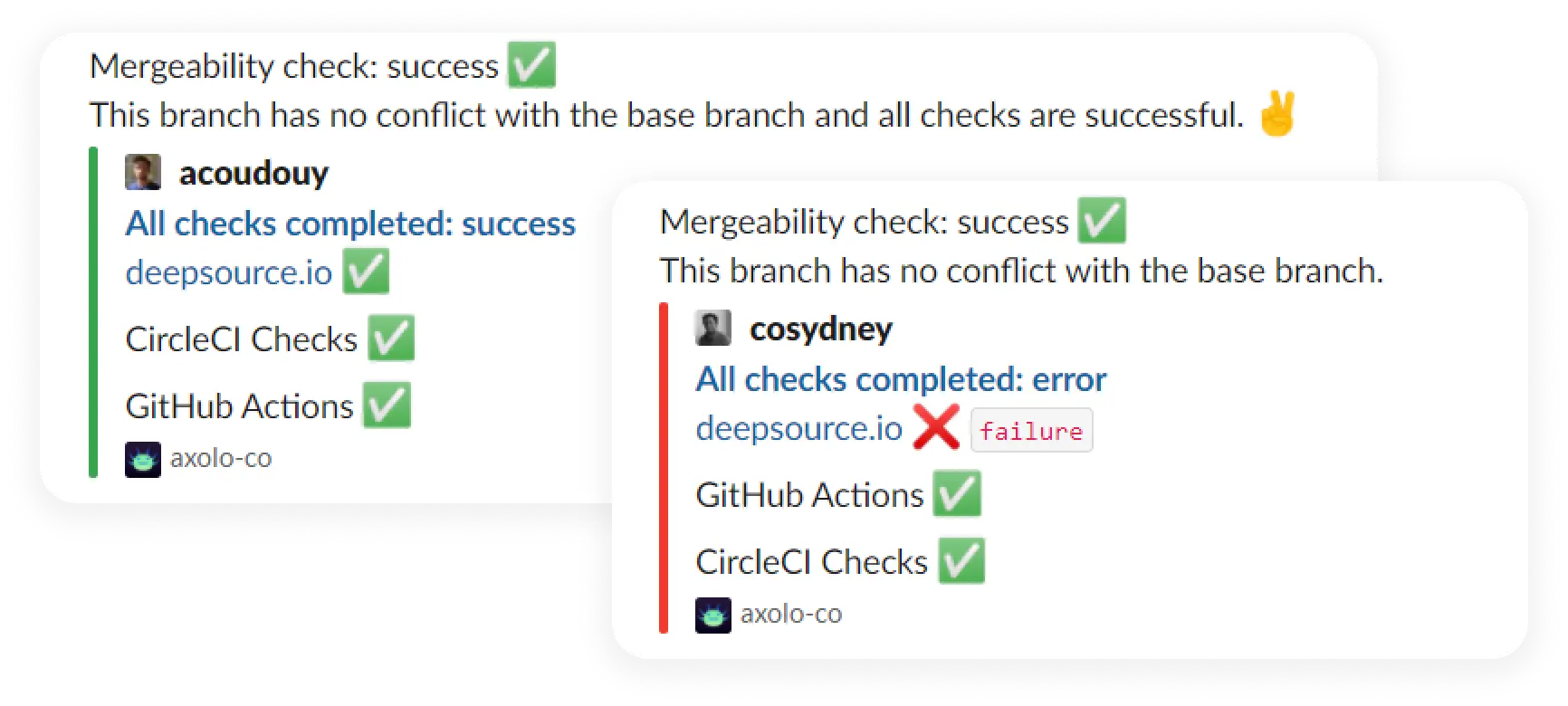
Slack bots simplify code reviews by automating notifications and reminders so your team never misses a step. Special tools can help to integrate GitHub directly into Slack, ensuring every update is delivered where your team is already working.
For example, bots can notify reviewers about pending pull requests, alert developers of overdue tasks, and highlight unresolved threads. This eliminates the need to hunt for updates or scroll through lengthy GitHub logs.
By simplifying logistics, Slack bots let your team focus on what matters most: improving code quality. With the right bot, how to do a code review on GitHub becomes a far smoother process.
Break Through Bottlenecks, Together
Nothing stalls progress like a pull request sitting idle, waiting for attention. But Slack makes it easier to tackle these bottlenecks in real-time.
For example, if a reviewer needs clarification on a pull request, they can directly tag the developer in Slack. Instead of waiting for an email response or an update in GitHub, the issue gets resolved in minutes.
This real-time collaboration speeds up reviews and strengthens your team’s connections. Encouraging real-time discussions helps clear roadblocks faster and keeps your workflows moving.
Quick Shortcuts for Faster Review Management
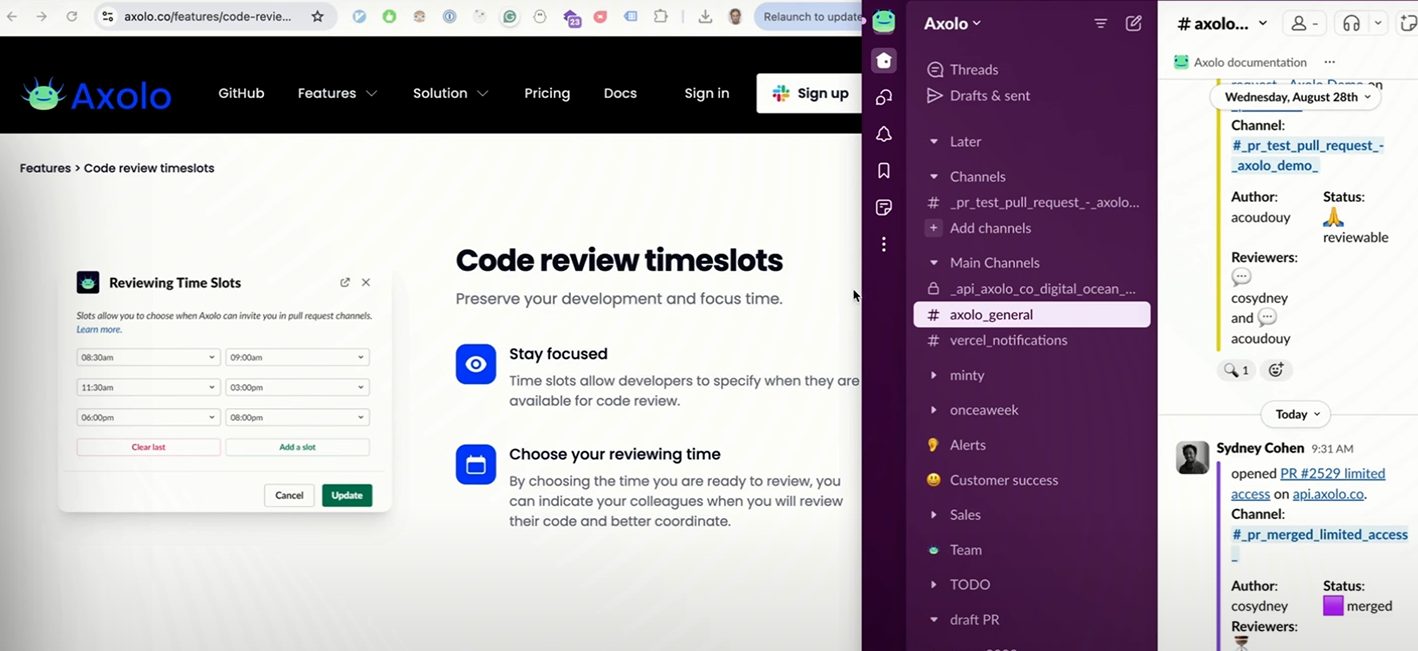
Simple Slack features, used strategically, can dramatically speed up code reviews. Slack offers several built-in features that can make code review management faster:
- Keyboard Shortcuts: Quickly switch between channels with “Cmd + K” (or “Ctrl + K”).
- Slash Commands: Use custom commands to pull GitHub data or notify team members about urgent reviews.
- Pinned Messages: Pin critical updates like pull request links or guidelines for easy access.
When your team knows how to leverage these features, reviews become more efficient, saving time and reducing frustration.
Stay on Track with Progress Updates
Regular progress updates in Slack keep everyone informed and reviews on schedule. With integrations, your team can receive updates about pending, completed, or overdue reviews directly in Slack channels.
These updates ensure everyone stays informed without micromanagement. Developers can prioritize their reviews, and managers get a clear team workload overview.
These updates ensure no task is overlooked, and your team always knows what’s next. When everyone is aligned, reviews move quickly and efficiently.
Conclusion: Boost Productivity, Not Stress
Code reviews are critical for ensuring quality but shouldn’t be frustrating.
With Slack, you can eliminate the frustration of chasing updates and approvals. By using automation, shortcuts, and real-time collaboration, your team can save up to 10 hours per week on code reviews and approvals while focusing on creating great software.
By using automation, shortcuts, and real-time collaboration, your team can save up to 10 hours per week on code reviews and approvals while focusing on creating great software.
How has your team optimized code reviews using Slack? Share your tips, experiences, or questions in the comments below. Let’s work together to find smarter ways to save time and improve review quality.
Featured image from Freepik

Kyle Lewis is a seasoned technology journalist with over a decade of experience covering the latest innovations and trends in the tech industry. With a deep passion for all things digital, he has built a reputation for delivering insightful analysis and thought-provoking commentary on everything from cutting-edge consumer electronics to groundbreaking enterprise solutions.