


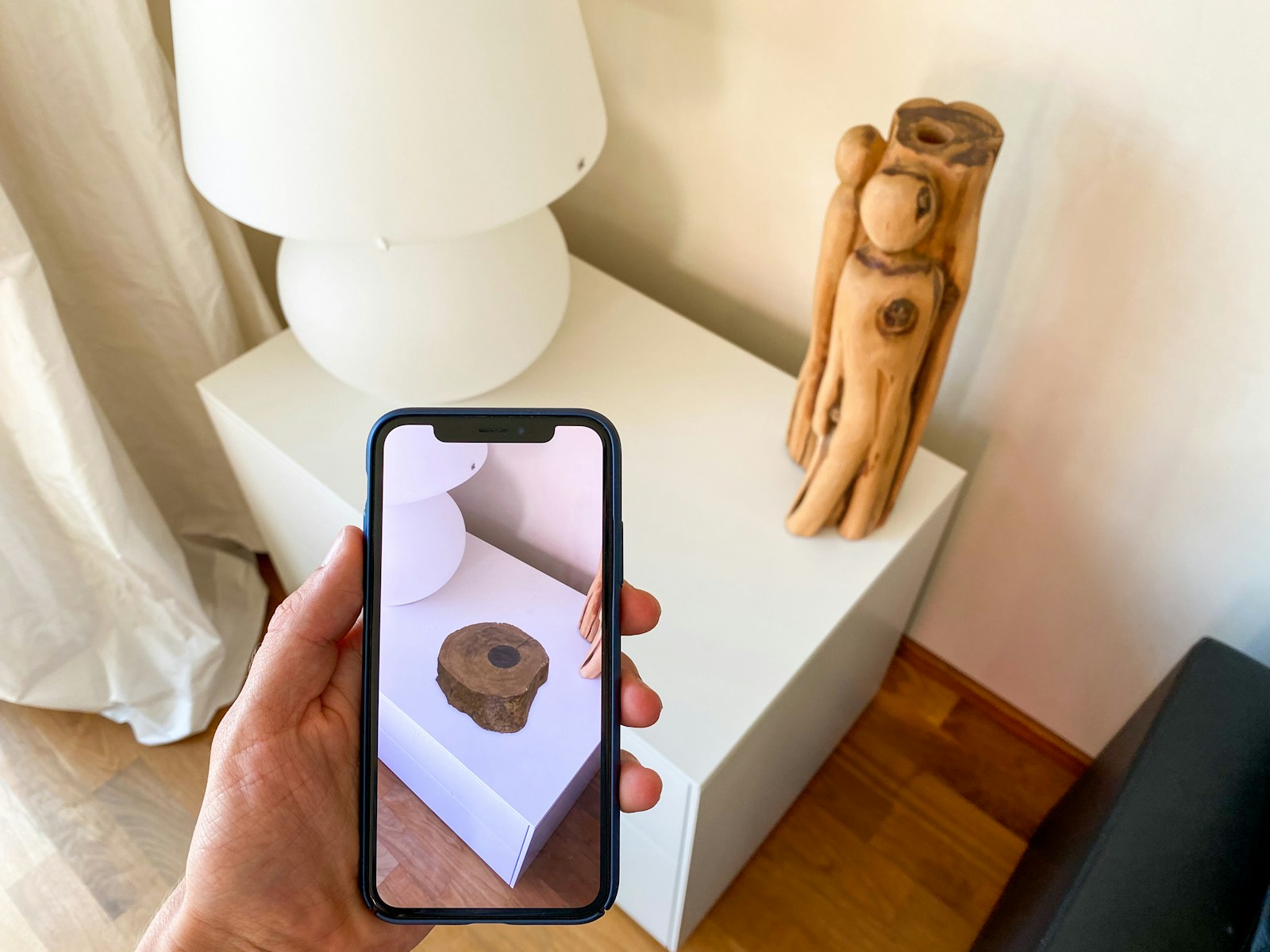
Not so long ago, augmented reality seemed something futuristic. And now? It’s not some luxury but a thing available to anyone who ever browses online. AR blends digital elements with the real world, creating interactive experiences that feel magical yet practical. Imagine trying on a pair of virtual shoes before buying them, battling virtual aliens in your living room, or using an app to learn about constellations by simply pointing your phone at the night sky.
This technology isn’t limited to entertainment; industries like retail, beauty, education, healthcare, and beyond are adopting AR to improve engagement and functionality. However, integrating AR features into an app can be complex, especially if you’re starting from scratch. That’s where AR SDKs (Software Development Kits) step in, offering tools that simplify the development process and unlock AR’s potential for businesses and developers alike.
The Benefits of Using AR SDKs
Why reinvent the wheel? AR SDKs for developers provide a foundation for building AR features without the need to start from square one. Here’s why they’re invaluable:
- Super Easy to Use and Implement
Creating AR solutions from scratch involves mastering computer vision, 3D modeling, and a variety of other techniques. So, AR SDKs are real lifesavers for developers who want to skip the headache and dive straight into building. - Works Across Platforms
By supporting various platforms, AR SDKs let developers create applications for iOS, Android, and web browsers seamlessly, which ensures a broader user reach and a consistent experience across devices. - Loaded with Advanced Features
From face filters and gesture controls to place virtual objects in real-world spaces, AR SDKs pack a punch with advanced tools that make apps feel cutting-edge. - Cost and Time Efficiency
Creating AR functionality from scratch may stretch over several months and lead to significant budget strain. AR SDKs cut costs and development time, letting you launch faster without sacrificing quality. - Access to Guides and Support
Many AR SDKs come with detailed documentation and support communities. This ensures you have support when challenges arise, making it more straightforward to turn your ideas into reality.
Steps for Adding AR SDK to Your Project
Step 1. Pick the Right One
The first step is choosing an SDK that fits your project’s needs. Consider the following factors:
- Platform Compatibility: Does the SDK support iOS, Android, or web apps? Some SDKs are platform-specific, while others are versatile.
- Features: List the AR capabilities you want, such as face filters, object tracking, or virtual try-ons. Ensure the SDK supports these features.
- Industry-Specific Tools: Some SDKs are geared toward specific industries like retail or beauty. If you’re in one of these sectors, look for an SDK that offers specialized features.
- Community and Support: Check out the SDK’s documentation and user forums. A well-documented SDK can save you time when you run into issues.
Step 2. Set Up the SDK
After selecting your SDK, the setup process begins:
- Download the SDK from the provider’s website or a package manager like npm or CocoaPods.
- Install the SDK into your development environment. This involves adding the necessary libraries and dependencies to your project.
- Follow Documentation: Most SDKs provide detailed documentation to guide you through the setup and configuration.
Step 3. Implementation Basics
For mobile apps, integrating AR typically involves using platform-specific SDKs such as ARKit for iOS and ARCore for Android. Web apps can implement AR through the WebXR API, which provides tools for building AR experiences directly in browsers. This can be done in combination with WebGL or Three.js, which help with 3D rendering.
Step 4. Test and Optimize
Testing is crucial for AR apps. Since AR relies on hardware capabilities like cameras and sensors, performance can vary across devices.
- Test on Multiple Devices: Ensure compatibility across various screen sizes, operating systems, and performance levels.
- Keep it Lightweight: Use optimized 3D models and textures to prevent performance issues.
- Debug Thoroughly: Track and fix bugs to avoid crashes or glitches that ruin the user experience.
AR in Action: Real-World Use Cases
Curious about how AR is being used in apps? Here are some standout examples:
- Retail: Virtual try-ons allow users to “try” clothes, makeup, or even furniture online. This can make virtual shopping more engaging and reduce product returns. We believe you’ve all heard about IKEA. Did you know that it has an AR app that helps customers see how well this armchair or table will fit their general home style?
- Gaming: Pokémon GO and similar games highlight how AR can provide exciting, immersive experiences that inspire people to get active.
- Beauty and Skincare: AR apps can simulate makeup or analyze your skin to recommend the best products. Sephora Virtual Artist or Clinique iD Skin Analyzer may be perfect examples here.
- Education: Many universities are already experimenting with AR in various departments, particularly in the sciences and engineering fields. AR is used to display interactive 3D models of molecules, historical artifacts, or architectural designs, allowing students to engage with these subjects more dynamically and visually beyond traditional textbooks.
Overcoming Challenges in AR Integration
While AR is exciting, there are challenges to overcome when integrating it into apps:
- Device Compatibility: Not all devices have the same AR capabilities. Older models might struggle to support advanced features.
- Performance Optimization: AR apps are resource-intensive, so maintaining smooth performance is critical.
- User Experience: AR features must be intuitive and responsive to keep users engaged.
Best Practices
- Focus on Lightweight Assets: Use efficient 3D models and compressed textures to reduce file sizes and improve app performance.
- Robust Error Handling: Ensure your app gracefully handles issues like camera access denial or sensor malfunctions.
- User Education: Provide clear instructions or tutorials to help users make the most of your AR features.
Wrapping Things Up
One thing is clear: AR SDKs are essential tools for developers aiming to add AR features to their mobile and web apps. With these SDKs, developers can easily create interactive experiences without starting from zero. So, whether you’re building a virtual try-on for some retail app or creating immersive educational tools, AR can take your app to the next level.
For developers ready to dive in, there are numerous AR SDKs worth checking out. With features tailored to different industries, they’re a great resource to help you integrate AR seamlessly and unlock your app’s full potential. Now’s the perfect time to explore AR and bring your ideas to life!

Kyle Lewis is a seasoned technology journalist with over a decade of experience covering the latest innovations and trends in the tech industry. With a deep passion for all things digital, he has built a reputation for delivering insightful analysis and thought-provoking commentary on everything from cutting-edge consumer electronics to groundbreaking enterprise solutions.












