


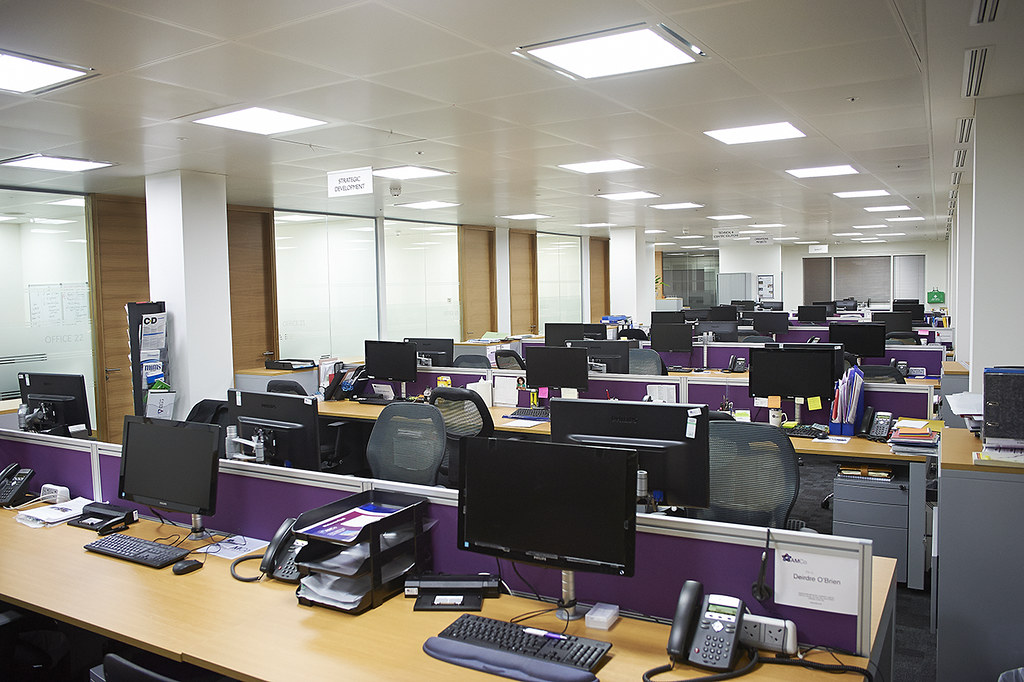
An office relocation involves more than just moving furniture; technology ensures a seamless transition. Planning and involving your IT team early can provide a successful office relocation that keeps your business operations running smoothly. Here are some steps to take to minimize downtime and avoid technical hiccups.
1. Start Planning Well in Advance
Develop an IT relocation plan well before your move—at least two to three months in advance. Develop a timeline, assign tasks, and create a budget. Track progress using a spreadsheet or project management software.
2. Plan for Business Continuity
Downtime can cost you money and lead to dissatisfied customers, so you’ll work with each department to plan for continuity. In some cases, you might consider running parallel in both locations for a while. If not, have a contingency place to remain operational if issues arise. Whatever you plan, ensure your employees understand the plan and their roles.
3. Establish a Solid Infrastructure
The IT and office manager should visit the site as soon as possible to determine where to put cabling and how to set up the network. If you are moving to a new building, you can easily customize the space to your needs. Examine the plugs, network points, and cabling for gaps if moving to an older building. Also, ensure the power supply and bandwidth are sufficient.
Once you’ve installed the infrastructure in your new office, verify that the cabling and equipment are in the right place. Check that the connectivity is working correctly before moving day.
4. Check Space Requirements
You’ll need enough space to install cabling and safely locate desks and equipment. Avoid safety hazards such as multiple extension cords and trailing cables. Provide sufficient, secure, climate-controlled space for your servers.
5. Evaluate Equipment
An office relocation is an excellent time to evaluate your equipment for opportunities to streamline and upgrade. Begin by inventorying what you have. Create a detailed spreadsheet listing all equipment, including model numbers, serial numbers, purchase dates, and conditions. Not all hardware and software will allow you to scale easily; if you plan to grow, consider switching to more adaptive solutions. For example, you might switch to software that allows remote working or cloud-based software that handles more data.
One month before the move, categorize your equipment.
- Keep: All equipment that is in good repair and meets your current and future needs will move with you. Use bar codes and photos for easy identification during the relocation.
- Upgrade: Order any upgrades well in advance. Consider pre-configuring them at the vendor’s site rather than waiting until you can get into your new location.
- Repurpose: After you’ve cleaned older equipment of drivers and proprietary material, consider giving it to a non-profit agency.
- Dispose: Conduct research or work with partners to find a sustainable way to dispose of obsolete equipment.
6. Examine Phone Options
An office relocation is also an excellent opportunity to re-examine your phone options. Will a standard phone work, or do you need VoIP or a cloud-based system? A professional can help you evaluate your needs.
7. Protect Data
More than 85 percent of the US population is increasingly concerned about data protection. Office relocations can increase the risk of data breaches. To reduce your company’s vulnerability:
- Establish protocols for handling the devices, securing networks, and backing up your data.
- Make several electronic backups of all company systems and store them in a safe place.
- Shred sensitive paper documents before the move.
8. Decide How to Transport Equipment
Transporting IT equipment may seem easy, but it is one of the riskiest aspects of your office relocation. IT equipment and its configuration are also among your greatest business assets. Using a professional logistics company is a good way to protect your assets and avoid issues. While companies with experience moving IT equipment may seem expensive, they will save you money by minimizing disruptions. Using an experienced partner to transport your IT equipment will also give you peace of mind.
When choosing a transportation partner, get detailed quotes from several companies. Read reviews online and check their Better Business Bureau rating. Obtain the names of references at companies like yours and call and speak with them. Transportation companies differ in their services; ensure they provide what you need. Also, ask the company to provide you with a list of the safety measures they’ll undertake.
9. Keep Employees in the Loop
Your team’s actions are critical to a successful IT move. Employees perform better when they trust management and understand expectations. Tell employees about the move well in advance. Then, use face-to-face, paper, and electronic channels to keep them informed throughout the process. Ensure team members understand their role in preparing IT equipment and maintaining data security.
If you’ll be using new technology after the move, start training staff before the date and provide for hands-on activities. Relieve team members’ stress and anxiety by addressing concerns about the move or new technology.
10. Conduct a Post-Move Audit
Once you’re settled, conduct a post-move audit to account for each piece of equipment. Ensure your data is intact and no security breaches have occurred during the move.
Remember to ask your team for feedback on your IT. For your company to succeed, your IT must support your team. Your needs will change, so periodic reassessment is important.

Rashan is a seasoned technology journalist and visionary leader serving as the Editor-in-Chief of DevX.com, a leading online publication focused on software development, programming languages, and emerging technologies. With his deep expertise in the tech industry and her passion for empowering developers, Rashan has transformed DevX.com into a vibrant hub of knowledge and innovation. Reach out to Rashan at [email protected]









