



Connecting Salesforce and NetSuite should help your team work with accurate information and reduce manual work. You need sales to see real sales orders and invoice data, finance to make fewer mistakes, and management to have reliable reports.
Your integration may not always work as expected. Data can move slowly, fail without warning, or show different values in each system. When this happens, you stop trusting it and return to manual updates.
According to the research, 55% of CFOs see data accuracy and consistency as major obstacles, while 48% point to integration complexity as the leading challenge for their organization. These numbers show that keeping data accurate and systems aligned is a real challenge, and it can affect daily work across every team.
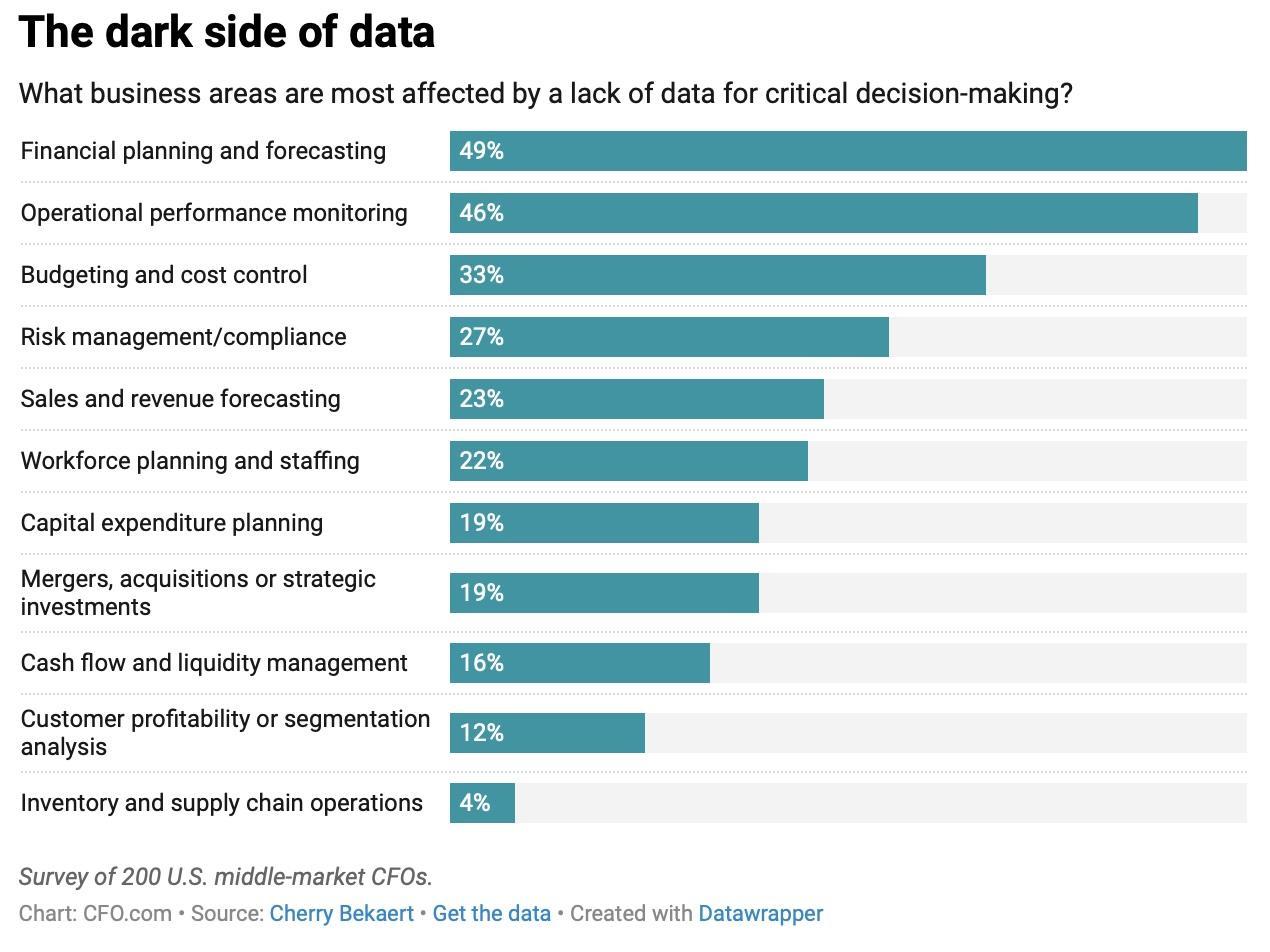
Image from CFO
In this article, you will find why data sync issues occur, how they impact day-to-day work, and what practical steps you can take to fix the Salesforce to NetSuite integration.
Why Companies Connect Salesforce and NetSuite
Salesforce manages customers, leads, opportunities, and the work of sales teams. NetSuite provides end‑to‑end support for finance, accounting, global business operations, order and inventory management, procurement, and supply chain planning. For many companies, these systems are the core of their operations.
Connecting them is not only convenient. It is often necessary.
Most organisations integrate Salesforce and NetSuite to achieve goals such as:
- Giving sales teams access to real financial information – sales can see orders, invoices, and payments directly in Salesforce
- Reducing the need to switch between systems – no more logging in to multiple platforms
- Removing manual entry of orders, invoices, and payments – less repetitive work and fewer mistakes
- Improving the accuracy of customer and product information – data stays consistent across systems
- Providing management with trustworthy reports – decisions can be made with confidence
- Reducing communication delays between sales and finance – everyone works from the same information
When the integration works correctly, teams can rely on the same information, and decisions are made faster. Research found that CRM‑ERP integration had a statistically significant effect on customer experience, with operational efficiency up 85% and response times reduced by 32%.
Common NetSuite Salesforce Data Sync Problems
Even when companies invest time and money in ERP CRM integration Salesforce NetSuite, they often face similar issues. These problems are common because both systems evolve over time, and the integration is rarely updated to match the changes. Most common problems include:
1. Mismatched Data Models
Salesforce and NetSuite organize information differently. Accounts, opportunities, sales orders, and invoices may not map one-to-one, and custom fields often don’t have equivalents. This can cause sync failures or incorrect values appearing in one system. Understanding these differences is key to designing an integration that keeps data accurate and reliable across both platforms.
2. Duplicate or Inconsistent Records
Without proper deduplication, the same customer or contact can appear differently in each system. Small differences in names or addresses can create duplicate records, leading to manual cleanup and potential errors in reporting. Ensuring consistent matching rules and regular deduplication checks helps prevent these issues and keeps data reliable.
3. Sync Timing Issues
Real-time and batch syncing both have challenges. Real-time pushes can hit system limits, while batch syncs create delays so that data in Salesforce may not match NetSuite immediately. Time zone differences can also misalign records. Choosing the right Salesforce NetSuite sync options and schedule is essential to keep data accurate and minimize disruptions for users.
4. API Limits and Performance Constraints
Both Salesforce and NetSuite have limits on API calls. Integrations that do not manage these limits may fail or timeout. Large data volumes or redundant transfers can strain performance and lead to incomplete syncing. Monitoring API usage and optimizing data transfers helps prevent failures and keeps the integration working as expected.
5. Error Handling and Recovery Gaps
Salesforce NetSuite sync failures can go unnoticed without monitoring. If failed records are not retried or logged properly, missing or incorrect data accumulates, creating discrepancies and requiring manual fixes. Setting up proper alerts and monitoring processes helps catch issues early and keeps data accurate.
6. Currency and Multi-Location Complexity
Companies operating in multiple currencies or with several warehouses often face mismatches in financial or inventory data. Without location- and currency-aware sync logic, quotes, orders, and stock levels may be inaccurate. Configuring the integration to handle different currencies and locations ensures that data remains correct across all systems.
Taken together, these issues show why Salesforce NetSuite connections need regular review and clear configuration. This article can also serve as a practical NetSuite Salesforce integration guide for teams assessing their current setup and exploring native options available on AppExchange.
Why These Problems Happen
Some integration issues are not caused by Salesforce or NetSuite themselves. They usually arise from setup gaps, outdated configurations, or business changes that were never reflected in the sync rules. Common causes include:
- Old or outdated tools: Integrations set up years ago may not support new fields, objects, or Salesforce features. Over time, this creates hidden failures.
- Unclear or out-of-date field mapping: Both systems evolve constantly. If field mapping isn’t updated to match current processes, data can flow incorrectly or fail silently.
- Layered workarounds: Quick fixes added over time can make the integration complex and hard to understand. Each workaround increases the risk of errors.
- Lack of clear ownership: Without someone responsible for the integration, issues go unaddressed. Sales, finance, and IT teams often assume someone else is managing it.
- Missing documentation: Integrations built by former consultants may lack documentation. Changing anything becomes risky, and problems can persist unnoticed.
Eventually, the integration itself no longer supports the company’s needs, causing delays, errors, and frustration for teams relying on accurate data. These points give teams a clearer understanding of why integrations fail and can support anyone preparing a broader Salesforce NetSuite integration guide or reviewing their current configuration.
Data Issues Impact on Daily Work
Data issues do not stay hidden. According to CertLibrary, data issues can reduce workforce productivity by up to 20%, as employees spend too much time fixing errors. They quickly appear in daily operations and create friction for every team.
1. Sales Teams Wait for Updates
Without accurate syncing, sales reps cannot confirm order status or see invoice information. This makes it harder to give customers clear answers and slows down the sales process. Delays and inconsistencies in data create frustration and reduce trust in the system.
2. Finance Teams Fix Mistakes
Finance staff spend time correcting duplicates, adjusting records, and searching for missing details. These manual corrections take them away from higher-value tasks like analysis and planning. Over time, this increases the workload and reduces overall efficiency.
3. Managers Receive Unreliable Reports
When Salesforce and NetSuite show different values, reports become confusing. Managers must spend extra time verifying numbers, which delays decisions and increases perceived risk. Discrepancies in reporting can also undermine confidence in the data across the organization.
4. Teams Rely on Manual Processes
Instead of trusting the integration, employees repeatedly check data with messages like “Is this amount correct?” or “Did this order sync?” These constant verifications slow down workflows across departments.
5. Customer Communication is Affected
Inconsistent information leads to mixed messages to customers. Teams may provide incorrect updates or conflicting answers, harming trust and customer experience. Over time, this can damage relationships and reduce overall satisfaction.
Native Apps: How They Can Help
So, how to integrate NetSuite with Salesforce in a way that’s reliable and easy to maintain? Native apps built for Salesforce can significantly improve how your teams work with critical data. They run directly inside Salesforce, follow its interface patterns, and reduce the need for complex custom development.
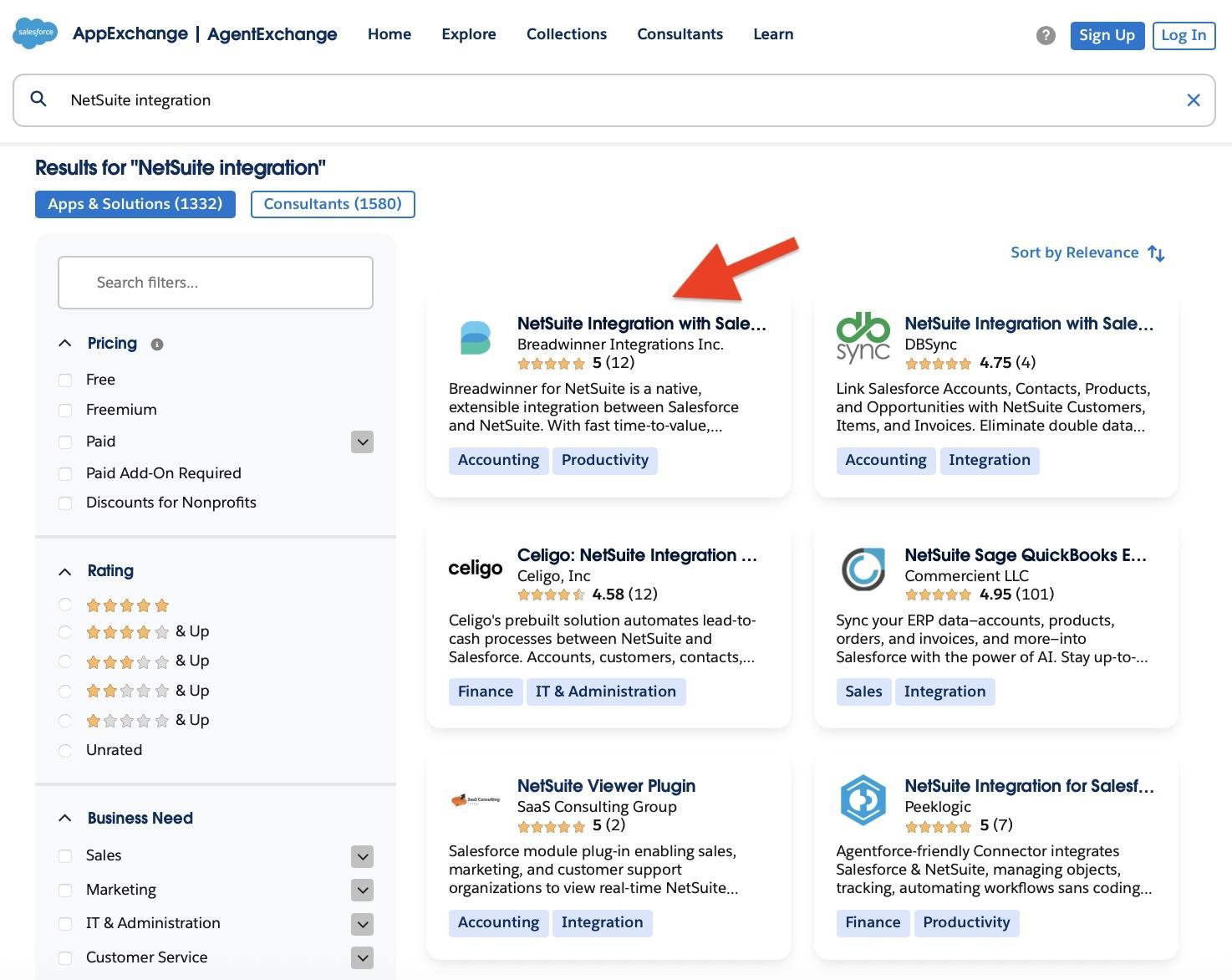
Salesforce’s AppExchange is the official marketplace for apps and solutions designed to extend Salesforce. It is a trusted place to find tools that integrate with Salesforce in a secure and supported way.
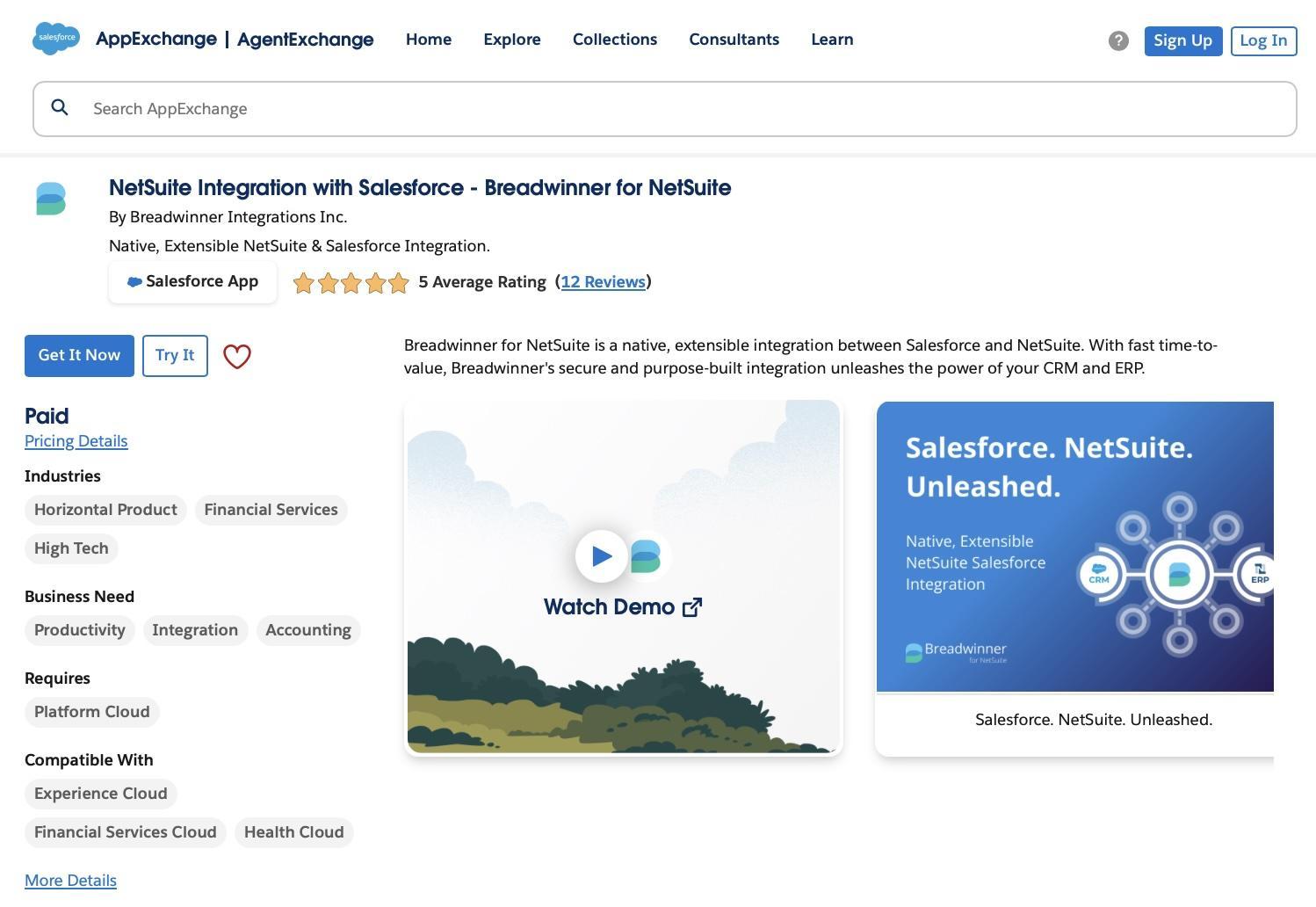
That’s why we reviewed the solutions available on AppExchange for connecting Salesforce and NetSuite, and identified Breadwinner as an option that offers a native approach to this type of integration. Breadwinner for NetSuite allows teams to access real NetSuite data directly inside Salesforce, create sales orders from Salesforce Opportunities, and ensure that the information shown matches NetSuite’s records. It replaces slow or unreliable integrations with a stable connection that simplifies daily workflows and improves accuracy.
NetSuite Integration on AppExchange
In the next sections, you will see how it helps create a stable, reliable connection between the two systems and simplifies daily work.
Benefits of Using Native Apps for Salesforce NetSuite Integration
Native solutions, such as Breadwinner, are built to create a stable and clear connection between Salesforce and NetSuite. It gives teams access to reliable NetSuite information inside Salesforce without building complicated automation and without failures or errors.
Breadwinner for NetSuite on AppExchange
Key benefits include:
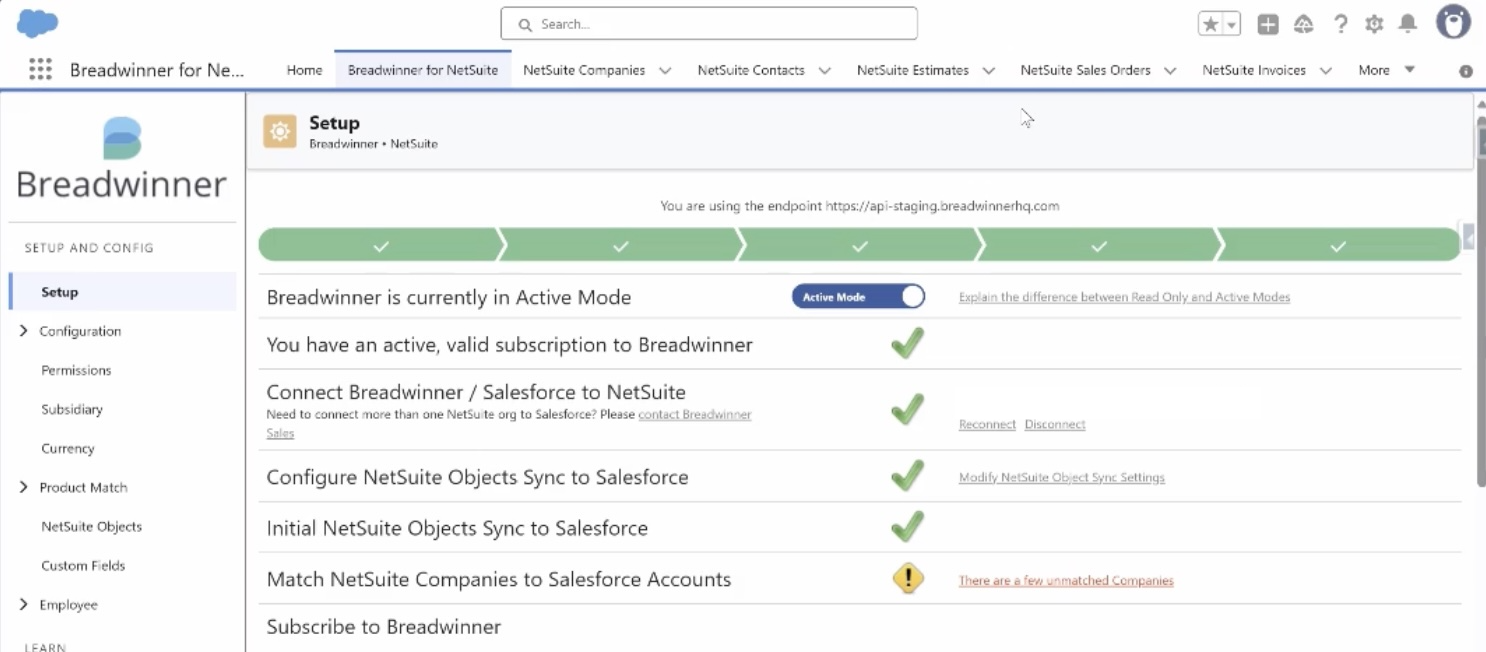
- Simple and fast setup: You can install and configure the app in about an hour. No dedicated specialist is needed, and your Salesforce admin can handle everything alone using clicks, no weeks of setup required.
Breadwinner’s Setup
- Real NetSuite data visible inside Salesforce: After you get the app, you will see that everything is there. No more creating custom logic or worrying about how to map records or fields, everything is built for you. You can see tabs, your records, sales orders, invoices, payments, and customer information directly in Salesforce. The two-way sync runs every 15 minutes by default, but it can be customized to fit your business needs. There is no need to look into NetSuite separately, which saves time, reduces errors, and keeps teams aligned on the same data.
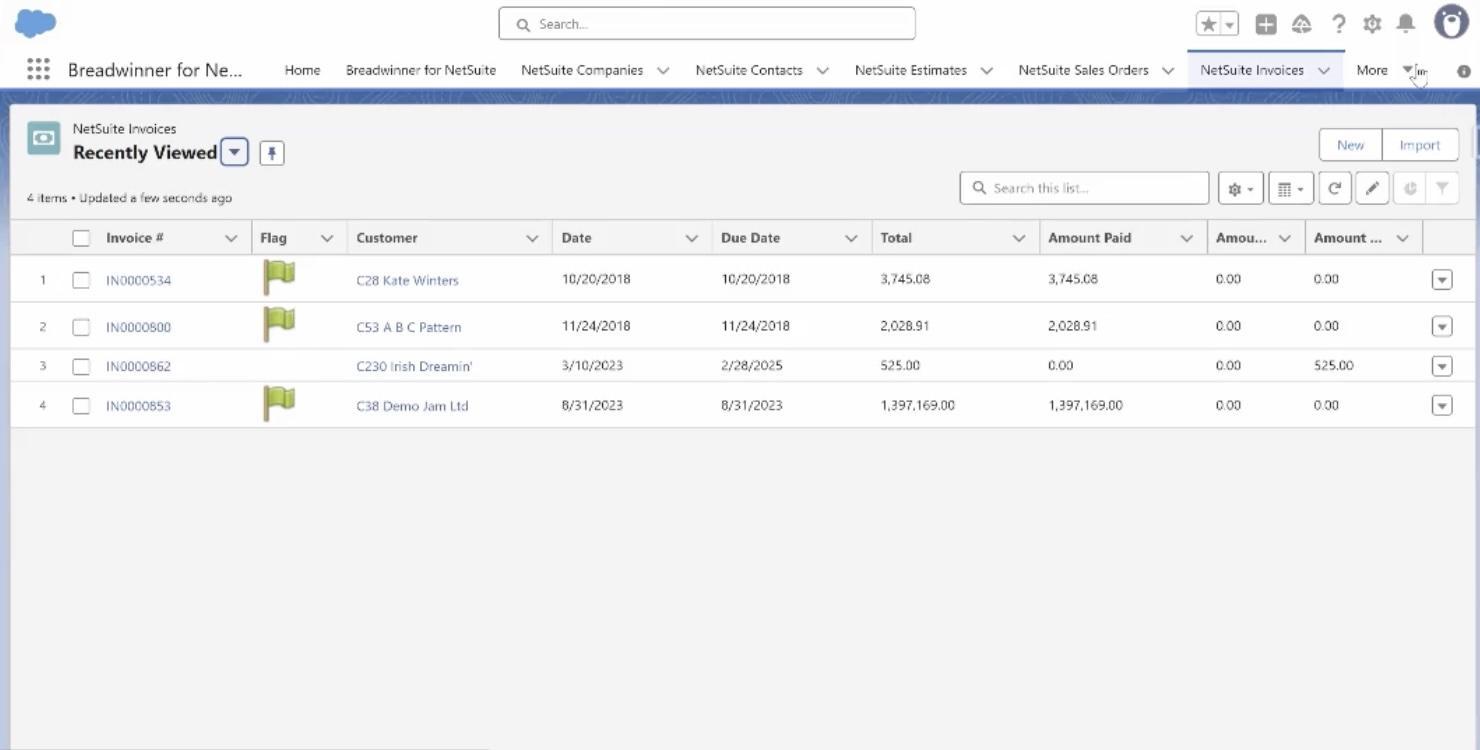
NetSuite Invoices in Salesforce
- Simple creation of NetSuite sales orders: Sales teams can create sales orders right from Salesforce records, for example, from Opportunities. The order details automatically flow into NetSuite, reducing manual entry for finance, preventing mistakes, and speeding up the order-to-cash process.
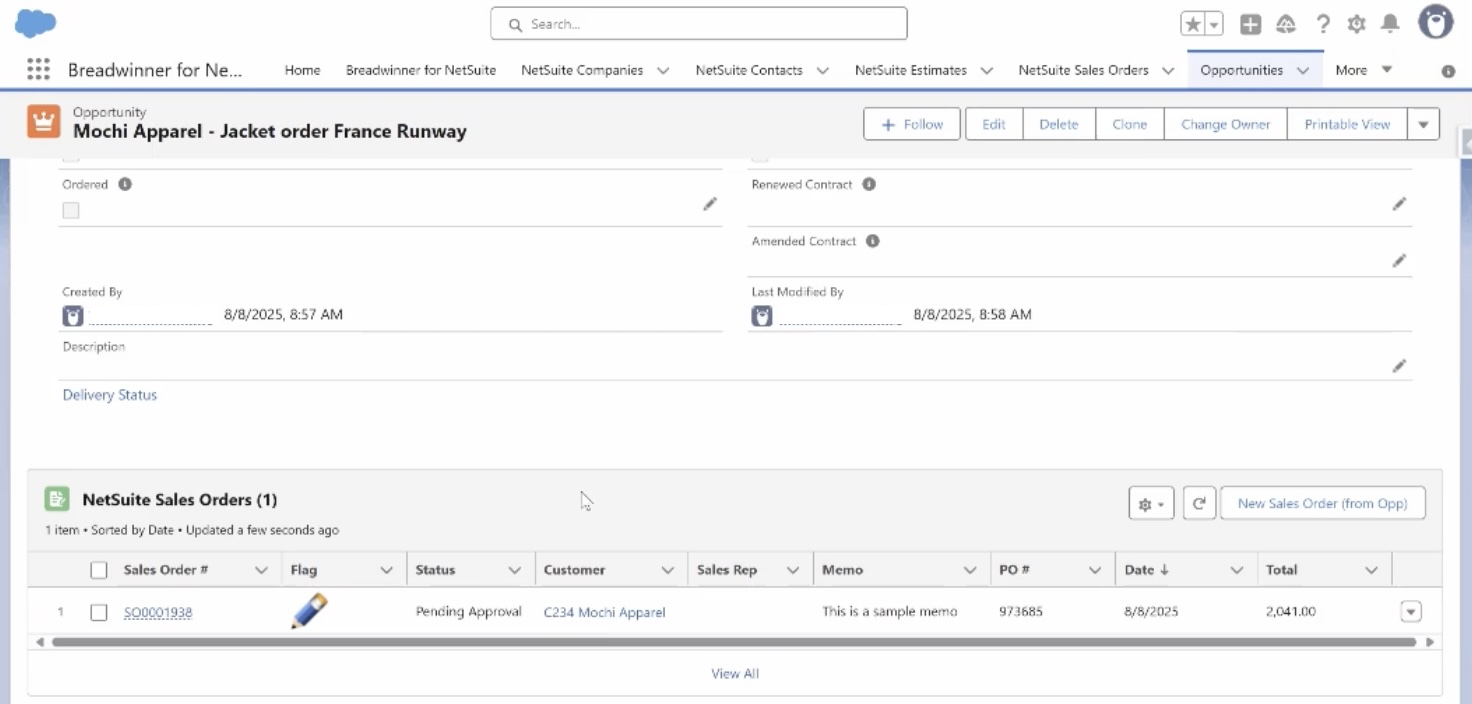
Create a new Sales Order from Opportunity
- Clear and consistent data: Breadwinner follows NetSuite’s data structure, ensuring Salesforce shows the same information as NetSuite. The data that comes from NetSuite is native in Salesforce, so users can use it directly in reports, dashboards, automation, or Agentforce. This eliminates discrepancies, builds trust in the system, and allows managers to make decisions based on accurate data.
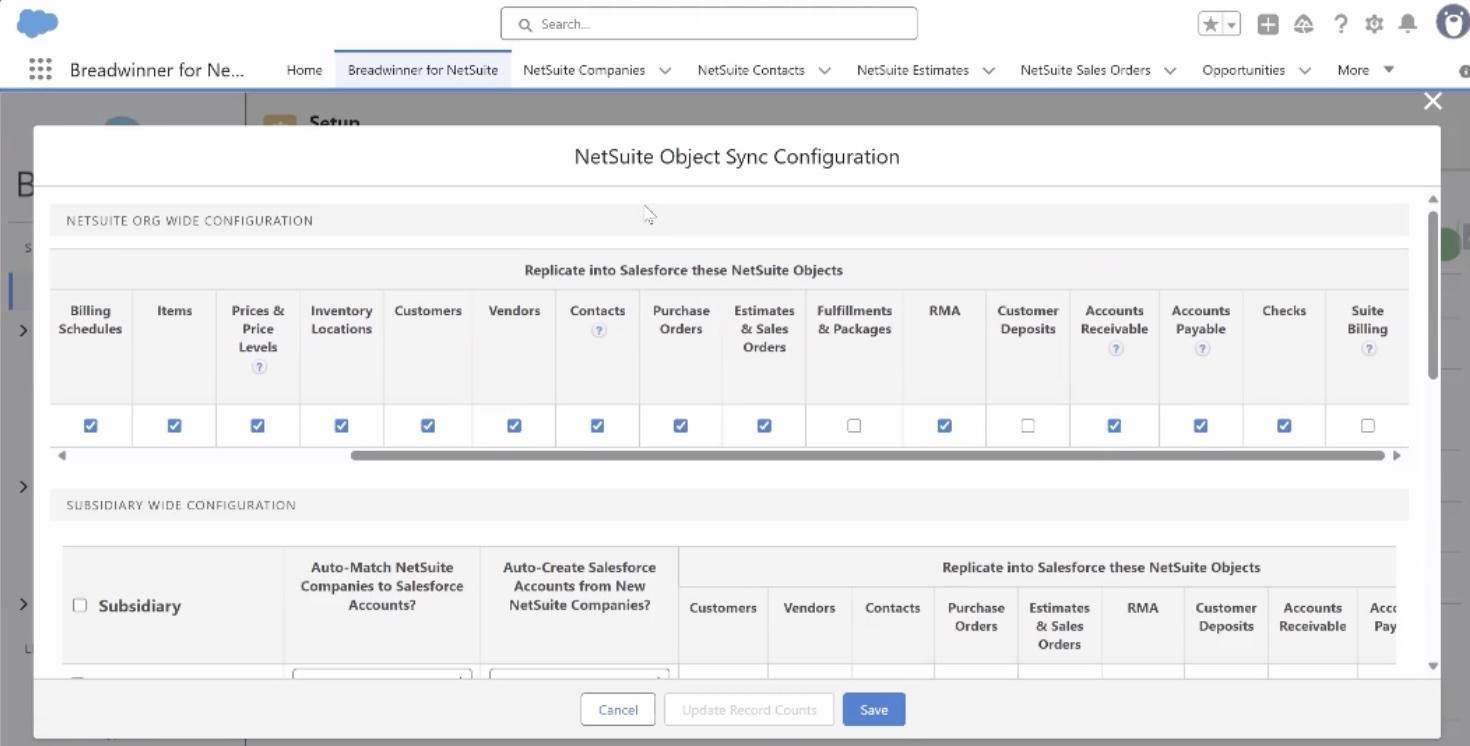
NetSuite Object Sync Configuration
- No complex Flows or scripts needed: The app handles syncing between Salesforce and NetSuite without requiring long chains of automation or custom code. This reduces maintenance overhead, simplifies troubleshooting, and lowers the risk of failures.
- Built to feel natural for Salesforce users: The interface is designed with Salesforce patterns, making it intuitive for users. Teams adopt it quickly, training time is minimal, and they can focus on using the data rather than learning new tools.
Why a Reliable Salesforce NetSuite Integration Matters
NetSuite and Salesforce integrations can transform how your company works, but only if it is accurate, up-to-date, and reliable. Problems often appear gradually as business processes change and systems evolve, and when data stops matching, every team feels the impact.
Fixing the integration does not always mean rebuilding it from scratch. Reviewing field mappings, sync settings, ownership, and workflows can resolve many issues. For companies that want a stable and predictable connection, the native Salesforce connector for NetSuite, like Breadwinner, provides a clear way to keep Salesforce and NetSuite aligned.
When teams can access the same reliable data directly in Salesforce, with real NetSuite records available for reports, dashboards, automation, and Agentforce, decisions become faster, communication improves, and daily work runs smoothly without errors or delays.
Some AppExchange apps, including Breadwinner, offer a free trial to help teams understand how a native app works in practice and evaluate its impact on the NetSuite Salesforce integration process.

Rashan is a seasoned technology journalist and visionary leader serving as the Editor-in-Chief of DevX.com, a leading online publication focused on software development, programming languages, and emerging technologies. With his deep expertise in the tech industry and her passion for empowering developers, Rashan has transformed DevX.com into a vibrant hub of knowledge and innovation. Reach out to Rashan at [email protected]
























