


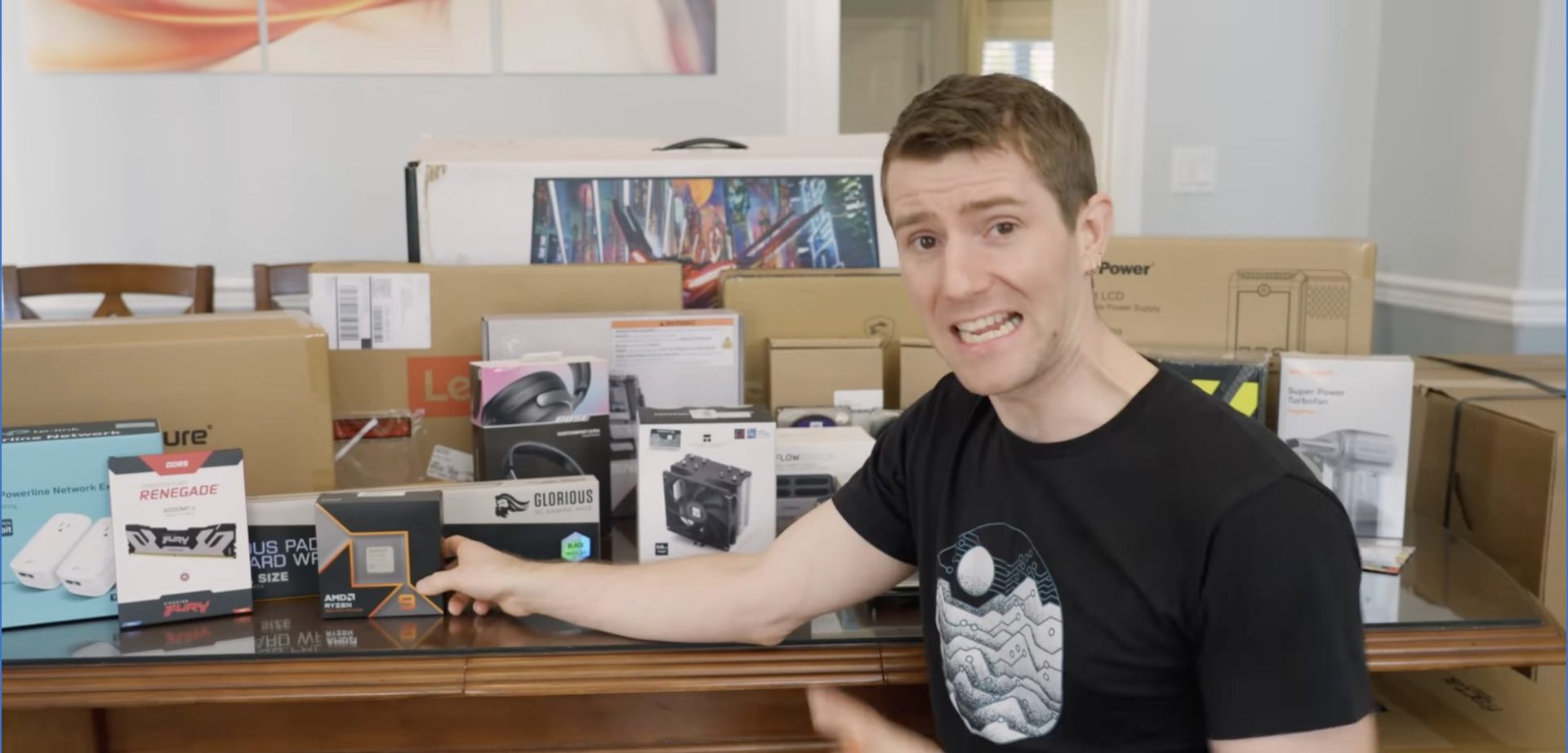
The Powerhouse Build
At the heart of Arty’s new system sits AMD’s Ryzen 9 9900X—a 12-core, 24-thread beast that fits into AMD’s AM5 platform (which they’ve committed to supporting until 2027). This processor is ideal for his video editing needs, reaching speeds of up to 5.5 GHz.
What impressed me most was the memory configuration: 96GB of 6,000 MT/s RAM. When I asked why he needed so much, Arty mentioned it came bundled with the CPU. This made me reflect on how far we’ve come—I remember building systems with just 100GB of total SSD space not that long ago.
For storage, Arty opted for Seagate IronWolf drives, which are designed specifically for NAS (Network Attached Storage) systems. These were paired with some older drives in a clever RAID configuration that provides redundancy while maximizing storage space.
The Unexpected Challenges
What should have been a straightforward build turned into an adventure that included:
- A quest through Arty’s crawl space searching for missing parts
- Discovering decade-old hard drives making concerning noises
- Troubleshooting network connectivity with no proper Ethernet infrastructure
- Wrestling with a Sonos soundbar that refused to work with other HDMI devices
- A printer that wouldn’t stop printing the entire script of “Bee Movie”
The networking solution was particularly creative. With no Ethernet throughout the house, we tested powerline adapters, which delivered about 35 Mbps—sufficient for spreadsheets and basic file access. We then set up a direct connection between Arty’s main computer and the NAS, allowing his parents to access files over Wi-Fi or powerline.
Beyond the Computer
This wasn’t just a computer upgrade—it was a comprehensive tech overhaul for Arty’s entire household. We also set up:
- A Brother printer capable of printing 34 pages per minute
- New office chairs for his parents
- A Sonos Beam soundbar (though it required some compromises)
- XReal AR glasses with prescription lenses for Arty’s travels
- Bose noise-canceling headphones
- A Lenovo laptop with a numpad for his mom’s bookkeeping work
I was particularly impressed by Arty’s thoughtfulness in selecting items specifically tailored to his parents’ needs, like ensuring his mom’s laptop had a numpad for her bookkeeping work and a 16:10 display for better spreadsheet viewing.
The Results
Despite the chaos, we achieved everything we set out to do. Arty now has a powerhouse editing rig with that 12-core Ryzen processor handling his video projects with ease. The NAS provides about 18TB of reliable storage thanks to some ZFS wizardry. His family room has upgraded audio, his parents have comfortable new chairs, and there’s even a high-speed printer.
What struck me most was how this upgrade wasn’t just about raw performance—it was about improving quality of life for Arty and his family. The thoughtful touches, like chairs for his parents and a laptop specifically configured for his mom’s work needs, showed that technology upgrades can be deeply personal.
While AMD’s $5,000 Ultimate Tech Upgrade might have looked messy in execution, the end result was a comprehensive technology ecosystem that will serve this household for years to come. Sometimes the most worthwhile tech upgrades are the ones that benefit not just one person but an entire family.
Frequently Asked Questions
Q: What processor was used in Arty’s upgraded PC?
Arty received AMD’s Ryzen 9 9900X, which features 12 cores and 24 threads. This processor can reach speeds up to 5.5 GHz and is built on AMD’s AM5 platform, which the company has committed to supporting until 2027.
Q: How much RAM was installed in the new system?
The system was equipped with 96GB of RAM running at 6,000 MT/s (mega transfers per second). This substantial amount of memory was part of a bundle deal with the CPU and provides ample headroom for video editing tasks.
Q: What storage solution was implemented for the NAS?
The NAS was built using a combination of new Seagate IronWolf drives set up in a mirror configuration (for redundancy) and four older WD Purple drives arranged in a RAID-Z2 configuration. This setup allows for the failure of up to two drives without data loss while providing approximately 18TB of usable storage.
Q: How was the network connectivity issue solved?
With no proper Ethernet infrastructure in the house, the team used powerline adapters that delivered about 35 Mbps of bandwidth—sufficient for basic file access and spreadsheet work. Additionally, they established a direct connection between Arty’s main computer and the NAS, with plans to add a network card for enhanced connectivity.
Q: What additional technology upgrades were included beyond the computer?
The upgrade package included a Brother printer capable of printing 34 pages per minute, new office chairs, a Sonos Beam soundbar, XReal AR glasses with prescription lenses, Bose noise-canceling headphones, and a Lenovo laptop with a numeric keypad and 16:10 display, chosen explicitly for Arty’s mom’s bookkeeping work.

Finn is an expert news reporter at DevX. He writes on what top experts are saying.












