When you walk into an unfamiliar database, the fastest way to get your bearings is to list every table and view in a target schema. In 2026 this is still the go-to reconnaissance query for onboarding engineers, documenting legacy systems, and building internal tooling that wraps a database in a friendly UI.
To list all table-like objects (tables and views) in a schema:
SELECT *
FROM information_schema.tables
WHERE Table_schema = 'dbo'
ORDER BY Table_name;
If you only want the views along with their definitions, target INFORMATION_SCHEMA.VIEWS:
SELECT TOP 1000
    [TABLE_CATALOG], [TABLE_SCHEMA], [TABLE_NAME],
    [VIEW_DEFINITION], [CHECK_OPTION], [IS_UPDATABLE]
FROM [lms_db].[INFORMATION_SCHEMA].[VIEWS];
To narrow the original query down to base tables only (excluding views), filter on Table_type:
SELECT *
FROM information_schema.tables
WHERE Table_schema = 'dbo'
  AND Table_type = 'BASE TABLE'
ORDER BY Table_name;
Why this still matters
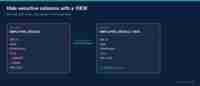
Views are one of the cheapest abstraction layers in SQL. A well-named view can hide join complexity, project only the columns a role should see, and give BI tools a stable contract even when the underlying tables are refactored. Knowing how to enumerate them is the first step toward auditing that abstraction layer.

Charlie has over a decade of experience in website administration and technology management. As the site admin, he oversees all technical aspects of running a high-traffic online platform, ensuring optimal performance, security, and user experience.