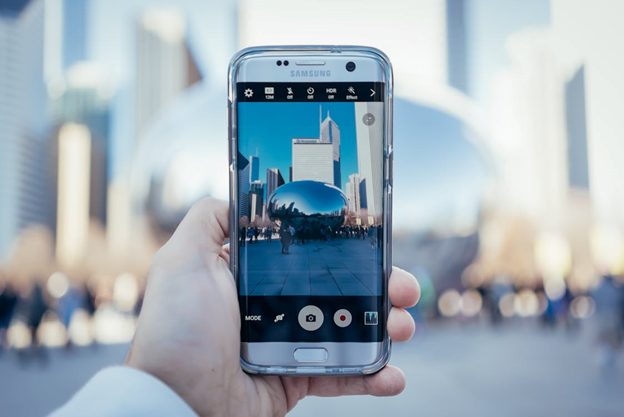
Staying connected matters at every age, and the best Samsung phones for seniors combine simplicity, accessibility, and value. Samsung is a leading choice because its lineup spans budget-friendly to premium devices, and its One UI software includes accessibility tools designed to make phones easier to use for people who prioritize larger text, clearer visuals, and straightforward navigation. Rather than pointing to a single model that quickly goes out of date, this guide focuses on the features that make a Samsung phone senior-friendly, so you can choose the right device whichever generation is current when you shop.
What Makes a Samsung Phone Good for Seniors?
When choosing a smartphone for an older user, the specific model number matters far less than a handful of practical qualities. Prioritize these features rather than chasing the newest release.
A Large, Clear Display
A bigger screen with a sharp, bright display makes reading text, viewing photos, and tapping buttons much easier for users with vision concerns. Look for a display in the 6-inch range or larger, and check that the phone supports adjustable font sizes and high-contrast modes. Samsung’s higher-end phones use AMOLED panels that tend to be brighter and easier to read outdoors, while budget models still offer roomy screens at a lower price.
Easy Mode and Accessibility Settings
One of Samsung’s most useful features for seniors is Easy Mode, available across its phones through One UI. Easy Mode enlarges app icons, simplifies the home screen layout, and increases font size for a cleaner, less cluttered experience. Beyond that, Samsung phones include a full accessibility menu with options such as screen magnification, high-contrast themes, hearing aid compatibility, and voice commands. These tools reduce frustration for less tech-savvy users. You can learn more directly from Samsung’s accessibility support pages.
Long Battery Life
Battery life is one of the most important considerations for seniors who might not remember to charge their phone every night. A device that comfortably lasts a full day on a single charge — or longer — means fewer worries about the phone dying at an inconvenient moment. Larger batteries are common on Samsung’s mid-range and budget models, which often prioritize endurance over slim design.
Clear Audio and Hearing Support
Good speaker quality and hearing aid compatibility matter for users who rely on speakerphone calls or have mild hearing loss. Many Samsung phones support Bluetooth hearing aids and offer adjustable sound settings, making conversations easier to follow.
A Simple, Reliable Camera
For seniors who love capturing family gatherings or travel memories, an easy-to-use camera is a welcome feature. You don’t need the most advanced camera system — a straightforward point-and-shoot experience with a clear viewfinder and simple controls is usually more valuable than a long list of professional modes.
Understanding Samsung’s Phone Lineup
Samsung organizes its phones into a few main families, and understanding them helps you match a device to a senior’s needs and budget without worrying about a specific year’s model:
- Galaxy A series: Samsung’s budget and mid-range line. These phones offer large screens, dependable battery life, and the same Easy Mode and accessibility features as pricier models, making them an excellent value for most seniors.
- Galaxy S series: Samsung’s premium flagship line, with the brightest displays, fastest performance, and most advanced cameras. A good fit for seniors who want a device that will stay capable for several years and use it for more than calls and texts.
- Galaxy Z series: Samsung’s foldable phones. The flip-style models fold down to a compact size that slips easily into a pocket or bag, which some seniors prefer for portability.
Because Samsung refreshes each line roughly once a year, the best approach is to pick the series that fits the budget and needs, then choose the current or previous model within it — previous-generation phones often deliver most of the same features at a lower price.
Choosing the Right Phone for Your Needs
Selecting the best Samsung phone for a senior comes down to individual preferences: screen size, battery life, accessibility features, and budget. Someone who mainly wants reliable calling, texting, and photos will be well served by a budget Galaxy A-series phone, while a senior who enjoys streaming, browsing, and photography may appreciate a premium S-series device. Whichever you choose, Samsung’s consistent accessibility tools mean the phone can be simplified to match the user’s comfort level.
Staying connected is crucial, and Samsung continues to develop user-friendly smartphones that work well for older users. For those interested in affordable, senior-friendly cellphone plans, look for no-contract options that suit your budget, such as those offered through carriers and retailers like Consumer Cellular. Seniors deserve a phone that fits their lifestyle, and Samsung’s diverse lineup makes that possible year after year.
Frequently Asked Questions
Which Samsung phone is best for seniors?
There isn’t a single “best” model, because Samsung updates its lineup every year. Instead, focus on features: a large, bright screen, long battery life, Easy Mode, hearing aid compatibility, and a simple camera. A current or recent Galaxy A-series phone offers most of these at an affordable price, while the S-series suits seniors who want premium performance.
Does Samsung have a simple mode for older users?
Yes. Samsung’s Easy Mode, found in the Settings menu of its One UI software, enlarges icons and text and simplifies the home screen. It can be turned on or off at any time, so the phone can grow with the user’s comfort level.
Are budget Samsung phones good enough for seniors?
For most seniors, yes. Budget Galaxy A-series phones include the same accessibility features as flagship models, along with large displays and strong battery life. Unless the user wants advanced cameras or top-tier performance, a mid-range or budget model is usually the better value.
Featured Image by Ricky Esquivel from Pexels

Kyle Lewis is a seasoned technology journalist with over a decade of experience covering the latest innovations and trends in the tech industry. With a deep passion for all things digital, he has built a reputation for delivering insightful analysis and thought-provoking commentary on everything from cutting-edge consumer electronics to groundbreaking enterprise solutions.